All features
Available now

Kiosk Display

One big screen at the venue, cycling through live courts, standings, and what is next.

tormatch.com/present/abc123
The problem

The score is happening on the court right in front of everyone — and the whole room is looking down at their phones to find it. Tormatch puts one big screen at the venue that always shows what is happening right now: every live court, running scores, the current period and the clock. Point it at any TV and it keeps itself current as results land, with nobody tending it.

What it does

How Kiosk Display earns its place.

1

Every live court on one big screen

The screen at the venue shows every court that is playing right now, side by side — home and away, the running score, the current period and the clock. It updates the moment a score changes, so the big screen is always the fastest place in the room to see what is happening.
tormatch.com/...
Screenshot needed
Kiosk slide — four live courts in a 2x2 grid, each with team logos, live score, period and running clock. Dark mode.
Dark mode
2

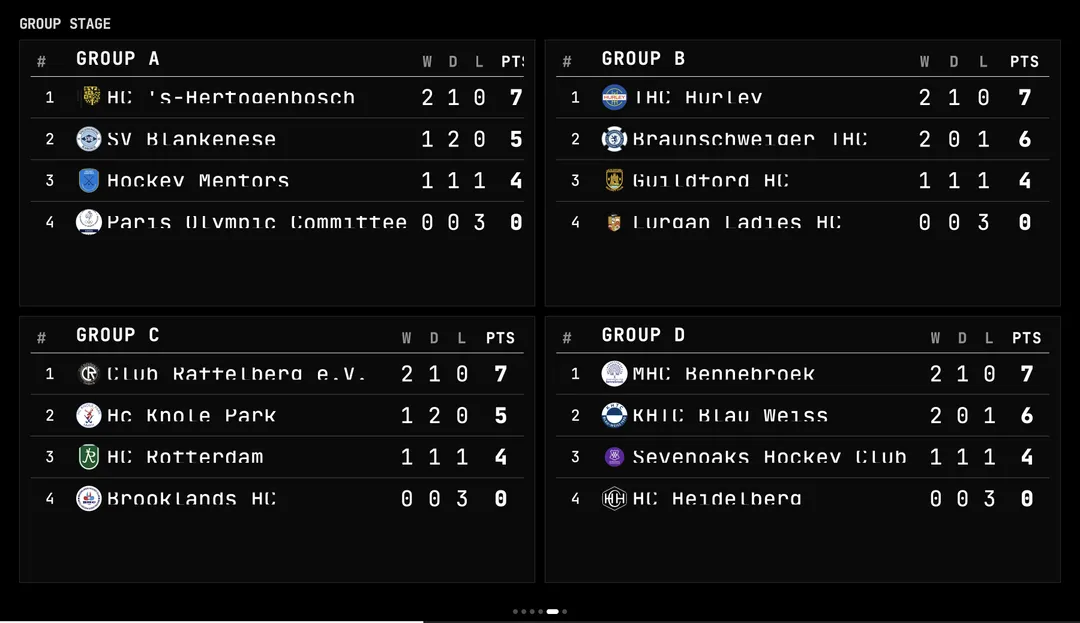
Standings, schedule, brackets, results — a slide for each

The kiosk is not only live courts. It cycles through group standings, upcoming matches, the full schedule, knockout brackets, the latest results, and your own announcement or sponsor slides — every part of the tournament, on the same screen, in turn.

tormatch.com/...
3

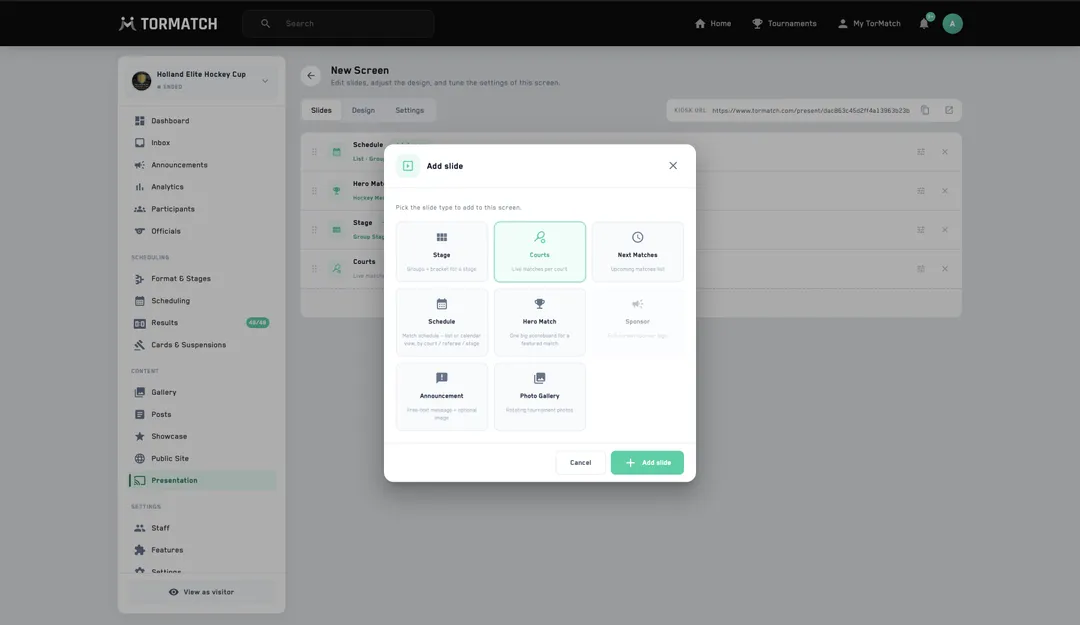
Pick which slides show, in what order, for how long

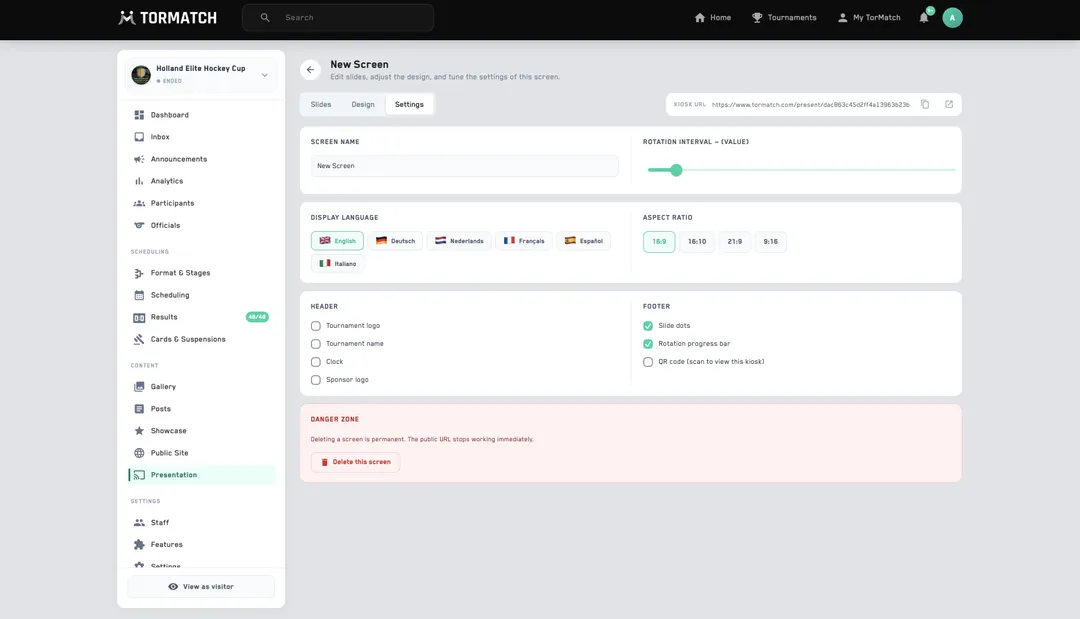
Choose exactly which slides appear, drag them into the order you want, and set how long each one stays up. Build the loop your venue needs — heavy on live courts during play, more standings and schedule between rounds.

tormatch.com/...
4

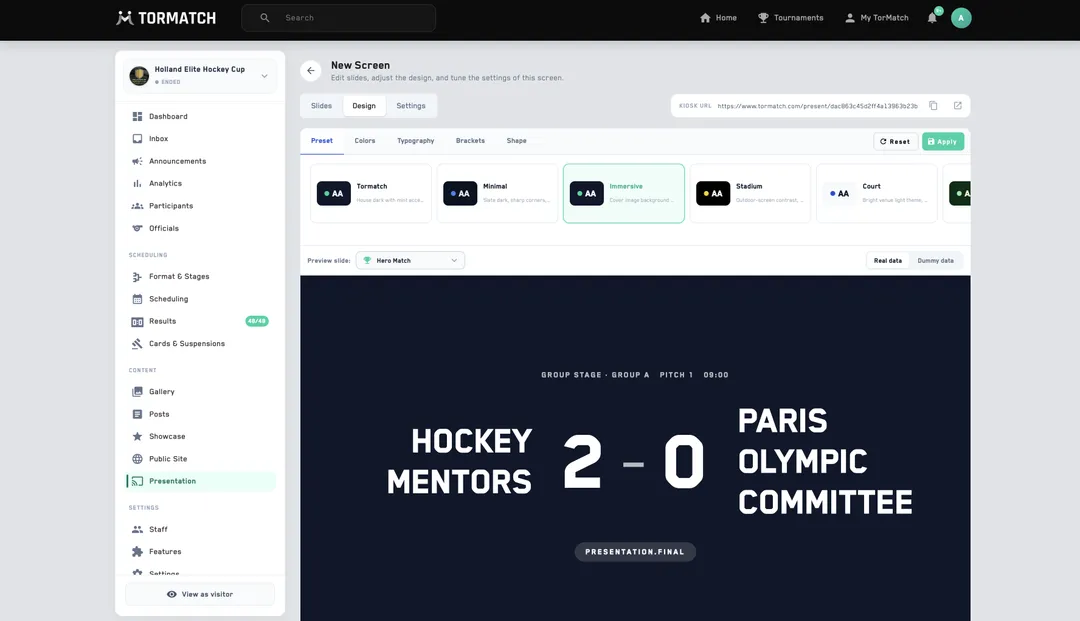
Start from a preset, tweak from there

You never have to build a loop from scratch. Pick a preset and the kiosk is running a sensible rotation in one click — then adjust any slide, order, or timing whenever you want.

tormatch.com/...

Run a real tournament with Kiosk Display on it.